














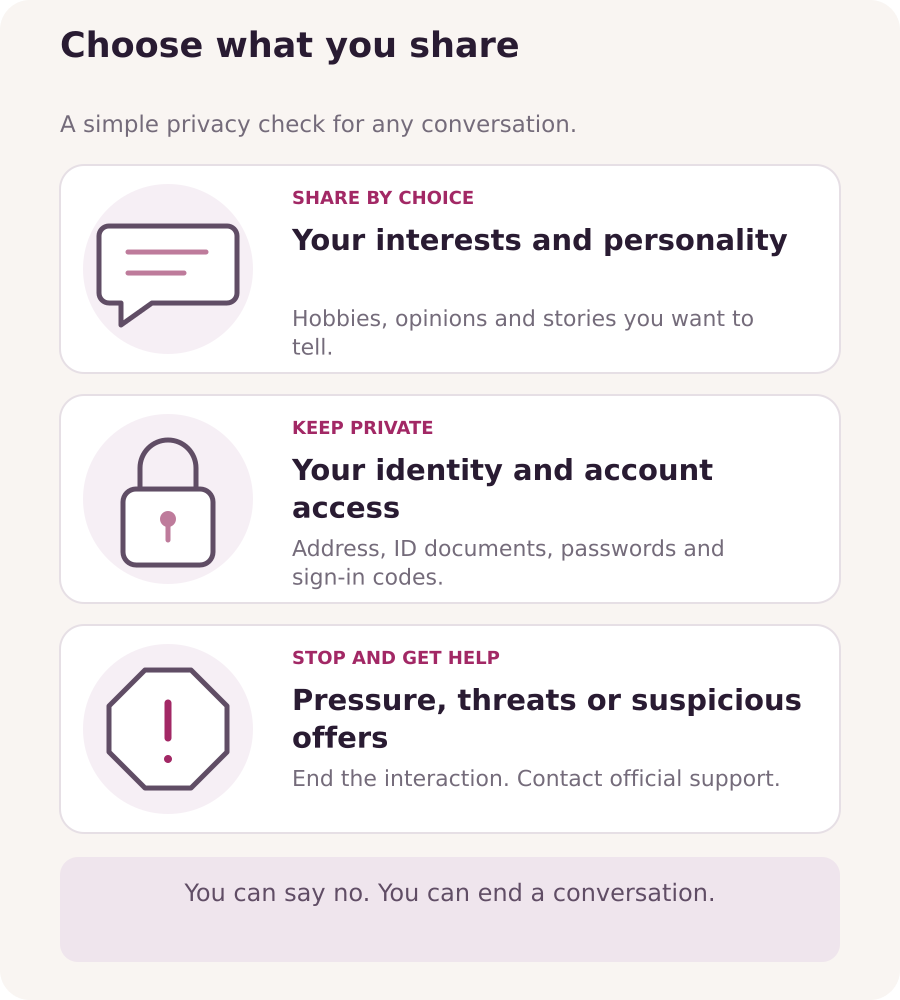
A good conversation can be personal without revealing your private life. Share your interests and personality while keeping the details that identify you, locate you or give access to your accounts to yourself.
Decide what belongs in a conversation
You can talk about music, hobbies or a film you enjoyed without naming your workplace, school, street or usual route home. Keep your full legal name, home address, personal phone number and private social profiles out of your public profile and chats.
If the platform allows a display name, choose one you do not use on personal accounts. Reusing the same username or profile photo can make those accounts easier to connect. A display name does not guarantee anonymity: someone may recognize your face or capture what appears on their screen.
Check what appears around you
Look for details that reveal more than you intend: a delivery label, letter, work badge, family photograph or recognizable view through a window. Check mirrors and other reflections too. Move identifying items out of view before a call or photo.
Hide message previews and close personal chats on nearby screens. Keep other people, especially children, out of the picture and avoid saying their names or personal details on a call. If you share a screenshot with support, include the relevant message and hide unrelated private information.
Keep identity checks in the official verification flow
The platform’s age and identity check is a separate process from a conversation with a viewer. Submit your own genuine details and document through the official verification flow. Do not show your ID to a viewer or send a document photo because someone promises a gift, payment or faster approval.
Open the platform directly to check a request instead of following an unexpected link. If someone claims to be staff, confirm the request through support in “Messages”. Use the separate verification guide for the recording and submission steps.
Protect access to your accounts
Keep passwords, one-time sign-in codes, recovery codes and personal sign-in links private. Never send them in a chat, including a support chat. Open the genuine service directly when you need to sign in or recover access. Use a long, unique password for each account and enable two-step verification wherever it is offered, including on the email account used to sign in.
On a shared device, sign out when you finish and avoid saving your password or leaving the guide and platform signed in. A personal guide link can provide access to your guide, so do not forward it or include it in a screenshot.
Your comfort sets the boundaries
You choose how you interact. You can enjoy a friendly conversation or flirt if you feel comfortable. You are never required to undress or agree to a request you do not want.
Nudity is allowed in private chats between adults who have completed the platform’s required age checks, as long as both participants consent. Taking part is entirely optional, and the platform’s rules still apply.
Gifts are voluntary. Receiving one does not mean you owe someone a particular response or activity. You can change your mind, say no or end a conversation at any time.
Decide in advance which topics and requests you are comfortable with. These simple phrases can help:
- “I keep my location private. Let’s talk about something else.”
- “I don’t share my personal contact details. We can chat here.”
- “I’m not comfortable with that request.”
- “I’ve already said no. I’m ending the conversation now.”
You do not need a long explanation or a debate. If the person keeps pushing, end the interaction. Use any block or report options available, or contact support.
Recognize suspicious offers
Be cautious if someone offers unusually large rewards but asks you to pay a fee first, reveal a sign-in code, install an unfamiliar app or open a link to receive the reward. Pressure to act quickly or keep the offer secret is another reason to stop.
Do not rely on a payment screenshot or a promise in chat. Open your account directly to check the balance or status, and ask official support about anything unclear. Keep payment and account questions in the platform’s official channels.
Get help when someone crosses a boundary
For harassment, suspicious requests or threats, open “Messages” and contact support in the chat. Note the account name, approximate time and what happened. Keep relevant messages or screenshots as evidence when it is safe to do so; send only what support needs.
If someone threatens to share your images or private information, do not pay or send more material to satisfy the demand. Stop responding and seek support. If you feel in immediate danger, contact local emergency services. Someone else’s pressure or abuse is not your fault.
Be warm, curious and yourself. You can build a connection while keeping your private details private and deciding when a conversation ends.